
After having created a number of models with Photofly 2.0 I thought it appropriate to start looking at various real-world applications for Photofly. A few jump to mind like game asset creation, architectural visualization, historical preservation, forensics and so on. But I think the really fun one is Visual Effects so I thought I’d start there.
Little variable focal depth demo using a depth matte created with Autodesk Photofly and 3D Studio Max
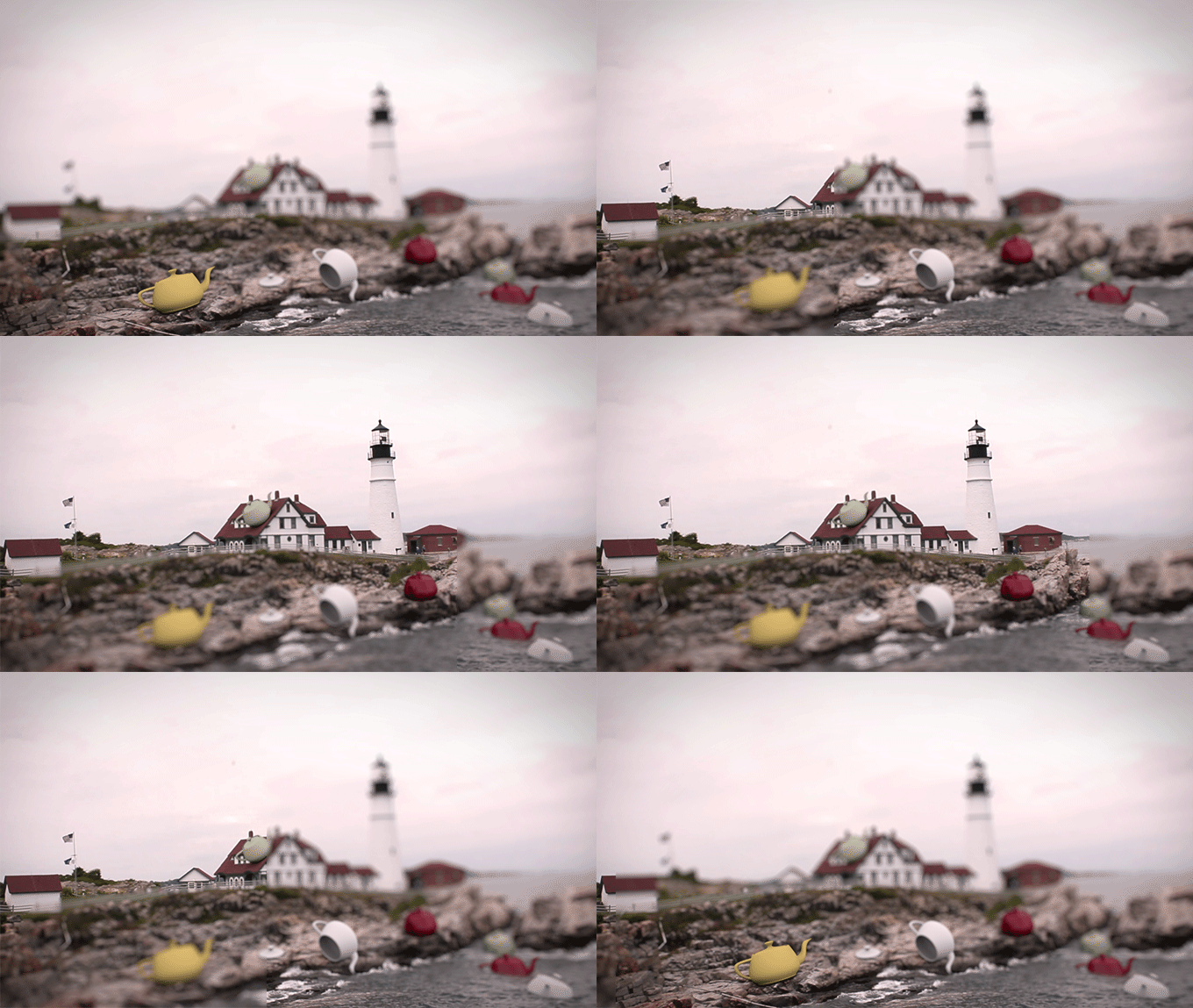
In a traditional visual effects work-flow your goal is to add CG elements to a live action plate. Or in some cases completely create an environment for actors shot on green screen etc. In all cases matching camera position and tracking camera movement is key, additionally you will need to create matte geometry to represent certain elements in the shot such as existing ground cover, buildings, furniture or what ever your CG elements may need to interact with and therefor cast shadows on, receive reflections and or Illumination, particle sims and so on.
3D Mesh created by Autodesk Photofly and brought into 3D Studio Max as .FBX (Ok minus the giant teapots obviously)

To start this process you typically run an image sequence of your shot through a 3D camera tracker like Matchmover, PFTrack, Boujou or SynthEyes. From there you would have an animated camera with correct focal length as well as a sea reference points representing 3D positions of various objects or features in your shot. Then you would most likely start modeling you matte geometry using those points to determine scale and depth within the scene. It’s that bit there that I think Photofly could be a huge time saver. Since it too solves for camera position (not animated mind you) and creates reasonably good models it seems likely you could get your matte geometry for almost free and have a reference camera position and focal length to match against your 3D camera solve!
Zdepth Buffer generated by 3D Studio Max
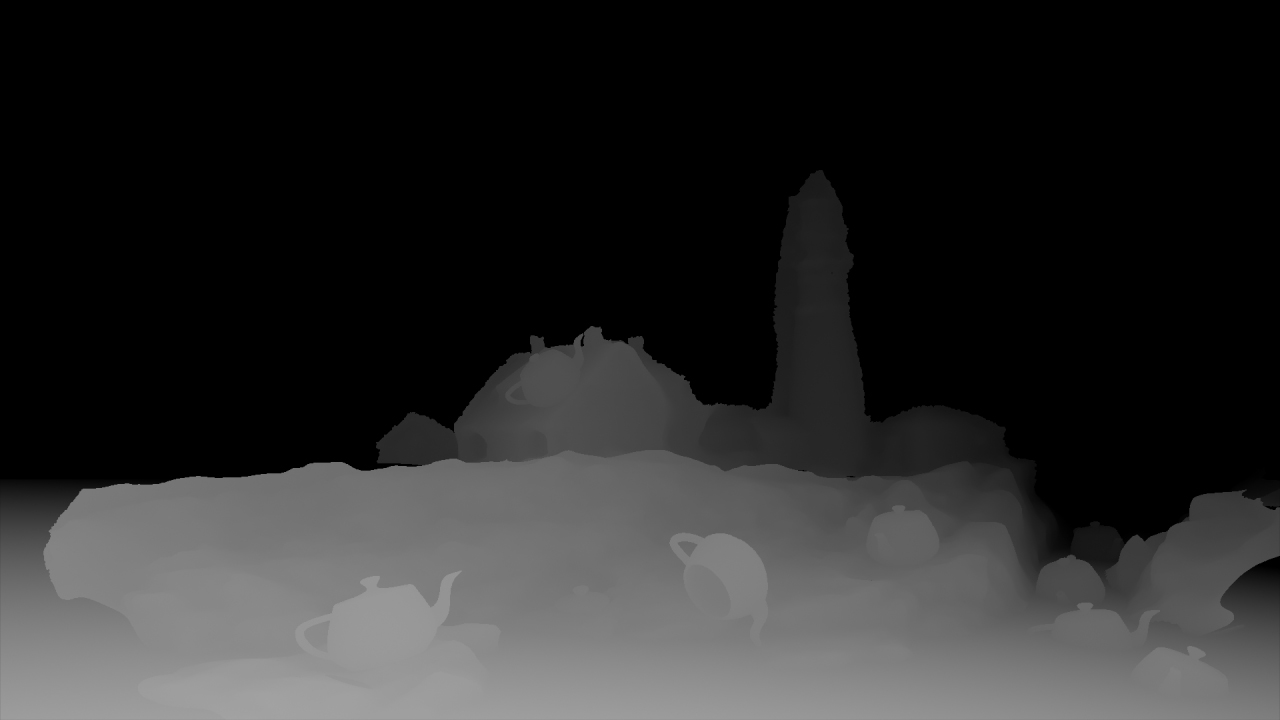
I am currently working on a tutorial on how to do just that with Photofly, Matchmover, Max and After Effects. I thought in the meantime it might be fun to post my finding thus far on the usability of Photofly for VFX. One cool little thing I discovered making this test scene was that you could potentially use the mesh from photofly as a detailed depth matte allowing you among other things to change the focal point or DOF of the entire shot! (Note the original shot needs to have a wide DOF for this to work). Take a look and I think you’ll see the potential!
BTW if you haven’t seen it check out IV Motion’s amazingly creative work with Photofly on the music video for Hunz new single “I get chills”. You will.
Tagged: 3D Studio Max, camera tracking, Matchmover, Photofly, VFX, visual effects